

I’ve been Linux distro-hopping periodically for decades. It started way back in the early 2000s with SUSE Linux (now OpenSUSE). And believe me when I say: my first experience did not go smoothly.
One wrong move during dual boot setup and I nuked years of Windows files like a digital Thanos snap. Gone. No backups. Just years of my life whispering, “Mr. Stark, I don’t feel so good.” I was heartbroken. But I pulled myself together, soldiered on, and eventually got things working—well, mostly. Back then, Linux had a LOT of hardware compatibility issues. It was a headache. I experimented with GNOME and KDE, but ultimately, Linux wasn’t a viable daily driver for me at the time.
GNOME & KDE: The Personalities of Linux
GNOME is sleek and minimalist. KDE is flashy and customizable. If Linux were a wardrobe, GNOME is the tailored blazer and KDE is the rhinestone-studded leather jacket.
Fast forward a decade or two, and I’ve played around with Ubuntu, Kali, Mint, and KDE Neon. Out of all of them, Ubuntu, Kali, and Mint had the most staying power—even if I could only use Linux part-time.
Mint became my go-to, while Kali remained a mainstay for my cybersecurity studies. A few months ago, I gave KDE Neon a shot. Plasma was sleek once I customized it, but it didn’t click.
I’ve also spent time with XFCE, Cinnamon, and other desktops over the years—each with their own charm, but none of them felt quite right. Either too minimal, too clunky, or just emotionally flat. I was starting to think maybe no Desktop Environment would ever feel right. Maybe the magic was gone—or maybe I’d just gotten too picky.
An Unexpected Linux Journey
This past Friday, while browsing Barnes & Noble, I stumbled across a magazine called Hacker’s Manual 2025. I figured it’d be a fun, informative read. Maybe pick up a few new tricks, y’know?
The very first chapter was titled: “Power Up: Fedora!”
I was amused. I’d never seriously considered Fedora before. I’ve spent so long getting cozy with Debian-based distros. But this book was pushing Fedora harder than a street-corner hustler with a quota.
“Try Fedora,” it whispered seductively. “It’s got Wayland. It’s got GNOME.”
A distro, by the way, is just a flavor of Linux—like choosing between Coke, Pepsi, or that weird artisanal cola your friend swears by. And Wayland? It’s the modern graphics system that replaces the aging X11. Smoother, more secure, and less likely to throw a tantrum when you move a window.
So I hopped on YouTube and pulled up a couple of my favorite Linux YouTubers—especially The Linux Experiment, who’s always good for a thoughtful take. Fedora 42 was getting rave reviews across the board. So I took the plunge.
I skipped the VM foreplay and went straight to bare-metal commitment. Bold? Reckless? Emotionally compromised? Absolutely. But sometimes you’ve gotta yeet caution into the void and see what boots.
Prep Work & Partition Juggling
Before installing, I had to clean house. I’d recently upgraded my PC, cloned my SSD to a larger one, and repurposed the old drive. My partitions were a mess. So I fired up my trusty copy of EaseUS Partition Master Pro, wiped out all my old Linux partitions, and shuffled the now-unallocated space to the end of the SSD—preserving my Windows games partition, of course. Priorities.
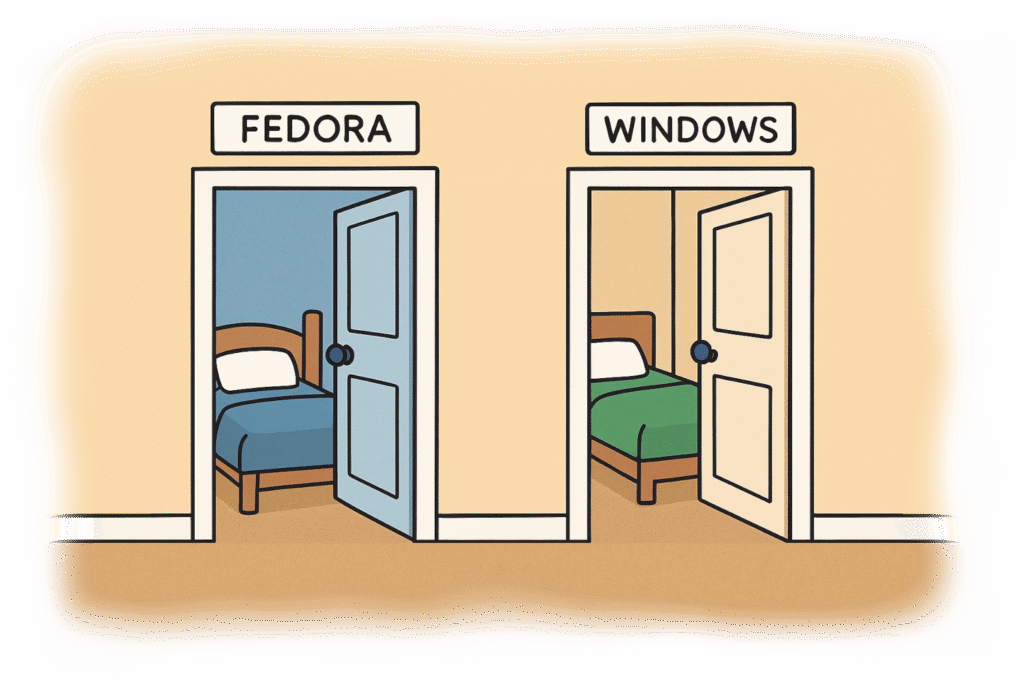
A partition, for context, is just a slice of your hard drive—like giving Fedora and Windows their own bedrooms so they don’t end up passive-aggressively rearranging each other’s furniture.
Then I grabbed the Fedora 42 Workstation ISO, used Fedora Media Writer to make my installer, and booted into the Live USB.
A Live USB lets you boot into Linux without installing it. It’s like test-driving a car, except the car is a whole operating system and you’re probably doing it at 2am with a weird sense of hope.
I launched the Disks utility and manually partitioned the empty space. I always keep my home folder on a separate /home partition—because if the root partition goes belly-up, I want my files to survive the fallout.
When you install Linux, you assign mount points—locations where the system stores things. /boot/efi is for bootloader magic, / is the system’s guts, /home is your personal junk drawer. It’s digital feng shui, basically.
Fedora’s Disks utility doesn’t make the EFI System format easy to find, so there was some trial and error. Once I manually set my four mount points (/boot/efi, /boot, /, and /home), the installation went smoothly.
UEFI is the modern boot system. Legacy is the old-school way. Choosing between them is like deciding whether to summon your OS with Latin chants or Bluetooth incense. One’s sleeker, the other’s stubborn.
Heads-Up
Heads-up: There’s a bug in the “Choose your time zone” interface. Don’t use the dropdown or search bar—it’ll freeze the installer. Just click your location on the map and you’ll be fine.
Post-Install Tweaks & GNOME Wrangling
Once Fedora was up and running, I added RPM Fusion and installed the Nvidia drivers to get my second monitor working. (Yes, I’m addicted to multi-monitor setups. You would be too if you tried it.)
Fedora plays it safe with software. RPM Fusion is the repo where you get the spicy stuff—like proprietary drivers and media codecs. It’s like sneaking off-campus to buy snacks your school doesn’t approve of.
Then came my only gripe with GNOME 48: there’s no dock. Well, technically there is—but it’s hidden in the overview view. Also, no minimize or maximize buttons on titlebars. GNOME devs, why do you hurt me?
So I installed GNOME Extensions and GNOME Tweaks. My must-haves:
GNOME is the desktop environment—basically the look and feel of your Linux system. Extensions and Tweaks are like mods for your OS. If GNOME were a car, these are the fuzzy dice, spoiler, and the button that makes the headlights wink.
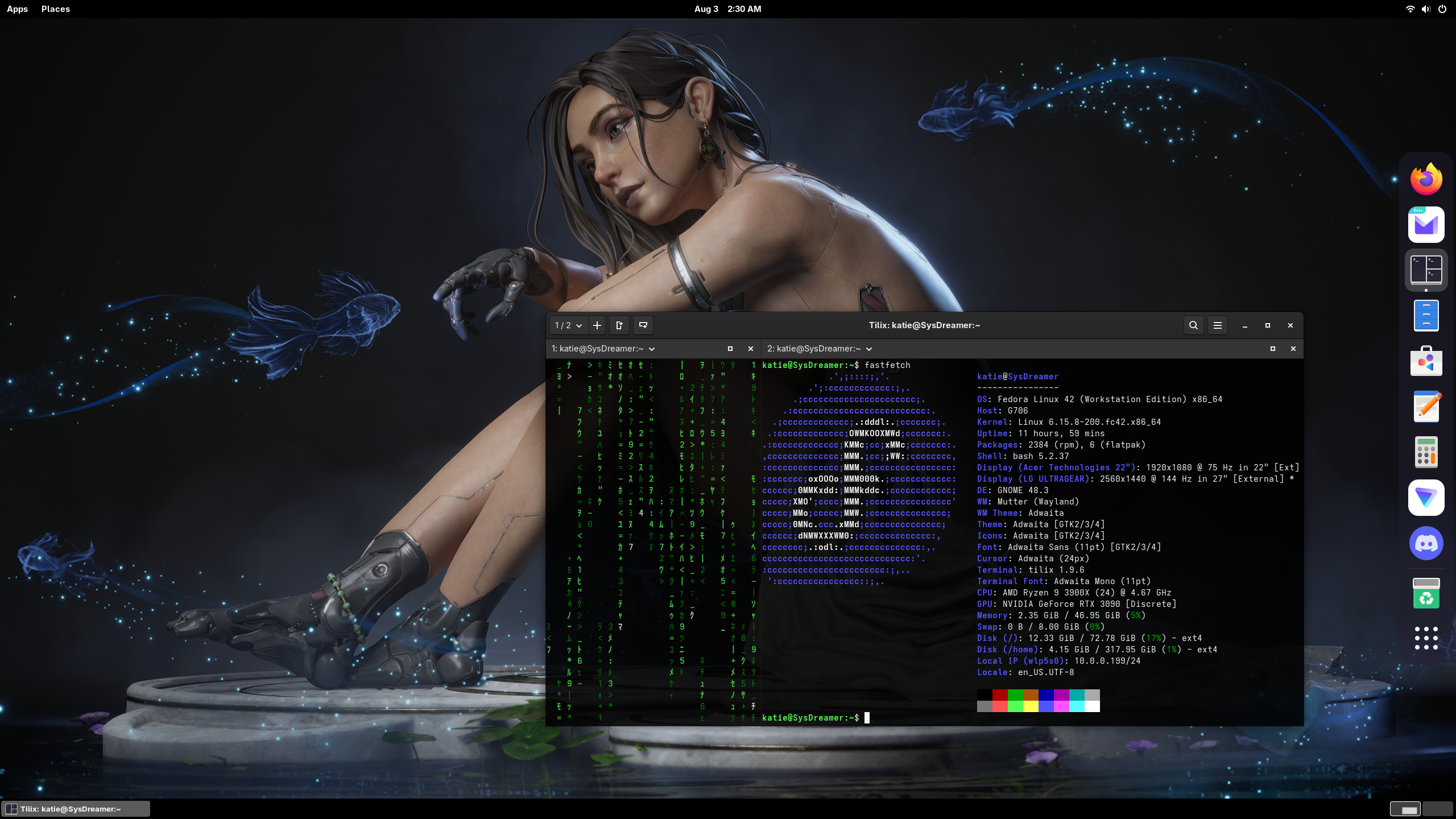
In Tweaks, I enabled the minimize and maximize buttons. Then I shoved the dock to the right like a rebellious teenager rearranging furniture just to feel something. Left-side conformity? Not in this house.
Final Thoughts

After installing my usual apps and changing my wallpaper, I sat back and took it all in. And I have to admit: Fedora 42 feels good. And not just “good for Linux”—I mean actually good.
I’m running a Ryzen 9 3900X, 48GB RAM, and a GeForce RTX 3090. This system doesn’t usually break a sweat. But even with that horsepower, GNOME 48’s new Dynamic Triple Buffering made everything feel smoother and snappier than any distro I’ve tried.
It’s a fancy graphics technique that makes animations smoother and reduces lag. Basically, it’s the difference between dragging a window and watching it glide vs. watching it stutter like it’s having a panic attack.
Animations glide. Windows snap open like they mean it. No stutter, no lag—just clean performance.
I don’t think any Desktop Environment will ever feel perfect. But GNOME 48 is the smoothest I’ve found so far—the least friction, the least compromise. It’s not magic, but it’s close enough to stop me from constantly distro-hopping out of existential boredom.
It’s only been a few hours, but Fedora 42 might be the one. The distro that finally understands me. The end of my wandering. Or at least, the beginning of a beautiful, RPM-fueled fling.
Leave a Reply